Generate automatic shifts in minutes. No contracts, no sales calls, no hassle.
30-day Pro trial. No credit card required.
Your industry? Restaurants Clinics Retail Hotels
Designed for teams that value their people's time.
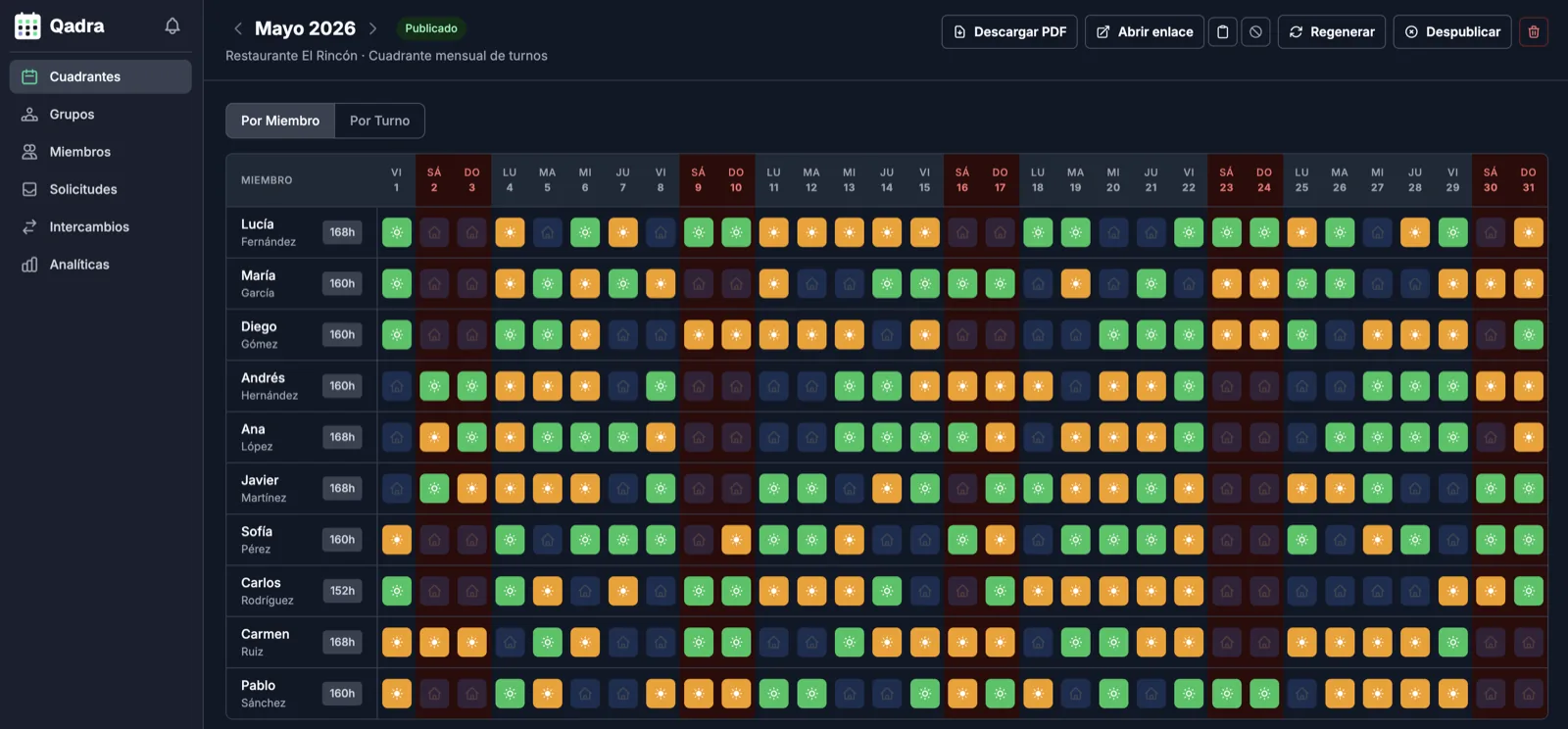
Generate monthly schedules in seconds. The algorithm distributes shifts fairly.
Your entire team sees their schedule in real time. No confusion, no last-minute calls.
Your team requests days off and the system takes them into account when generating the schedule.
Quick comparison
If you need clear schedules without turning it into an enterprise project, these are the differences that matter.
| Option | Best for | Automation | Setup | Learn more |
|---|---|---|---|---|
|
Qadra
Recommended
|
Small teams that want to generate and publish schedules quickly | Generates shifts, checks rest rules, and prompts before publishing | Start free, no card or mandatory demo | Generate a schedule |
|
Excel
|
Simple templates or teams still planning manually | You maintain formulas, changes, and team updates | Fast at first, fragile when changes pile up | See Excel alternative |
|
Factorial
|
Companies looking for a broader HR suite | More focused on general HR than full schedule generation | Requires adopting more modules and processes | Compare with Factorial |
|
aTurnos
|
Organizations with advanced needs and heavy configuration | Powerful, but with a steeper learning curve | More configuration before value is visible | Compare with aTurnos |
From manual planning to automation in three steps.
Add your team members and define the shift types you use.
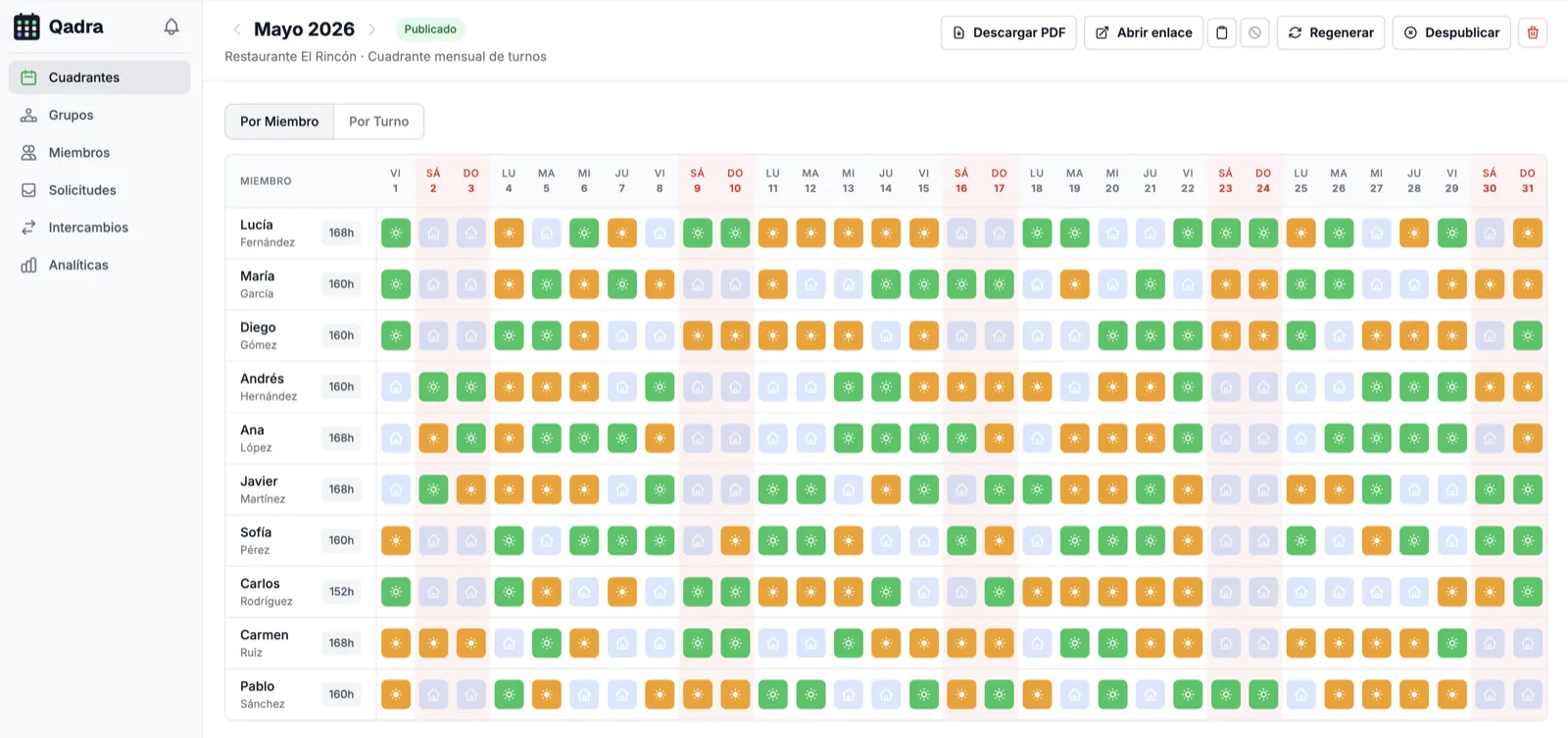
With one click, the system generates a balanced and fair monthly schedule.
Publish the schedule and your team will see it instantly on their dashboard.
to your first schedule
Pro trial, no card
coverage rules checked
email response
Qadra is designed so you can start using it today, not in 3 months
No 30-minute demo required
Sign up and try it yourself instantly
No need to talk to sales
Public pricing, no negotiations
No annual contract to sign
Monthly billing, cancel anytime
No 2-day training needed
Simple interface anyone can understand
All you need:
Not ready to sign up?
Start today with an editable template and learn when it is worth automating.
Everything you need to know about Qadra
Join teams that have already automated their shift planning.
Get my planning hours backTry Pro without a card. Free plan available afterward.
We use optional cookies and analytics technologies to understand what works and improve Qadra. They only start if you accept. Learn more

Save time
From hours to minutes. Generate complete schedules with one click.
Cover every shift
Catch gaps, rest issues, and overload before you publish the schedule.
Coordinated team
Shifts, swaps, and preferences visible to everyone from their phone.
Built for your industry
Hospitality
Breakfast, lunch, dinner and weekend rushes. Monthly schedules in minutes.
See howClinics
Full clinic coverage and clear on-call rotations for your medical team.
See howRetail
Opening, closing and weekend peaks planned down to the detail.
See howHotels
24/7 reception without coverage gaps or unfilled shifts.
See howCare homes
24h coverage with night shifts and legal rest periods, by the book.
See howGyms
Early opens, evening classes and rotating trainers without the chaos.
See howSecurity
24/7 watch with long shifts and rest compensation down to the minute.
See howCall centers
Call peaks covered without burning out your team.
See how